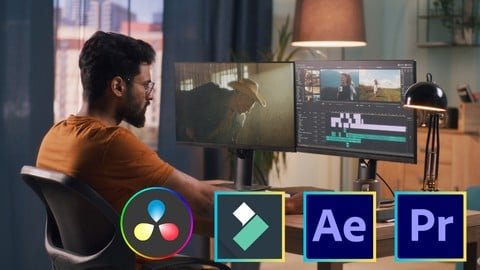
Welcome to Sayman Creative Institute's Video Editing Bootcamp. This course is for beginners and intermediate creators who want practical skills in video editing, motion graphics, color grading and visual effects. You will learn to use Adobe Premiere Pro, After Effects, Wondershare Filmora and DaVinci Resolve through hands-on projects. The guide below explains what the course covers, who it is for, the syllabus highlights, enrolment steps and useful tips to finish faster.
Quick Facts
- Platform: Sayman Creative Institute
- Level: Not specified
- Duration: Not specified
- Language: Not specified
- Certificate: Not specified
- Free type: Not specified
Course Essentials
What you’ll learn
- Navigate Adobe Premiere Pro interface confidently and organize media efficiently.
- Edit timelines with precise cuts, transitions and layered effects.
- Apply practical color correction and perform clean audio editing and mixing.
- Create basic motion graphics and animated elements in After Effects.
- Use keyframing, tracking and compositing for advanced visual effects.
- Produce quick edits and creative effects using Wondershare Filmora.
- Perform professional color grading and use Fusion for VFX in DaVinci Resolve.
- Export videos optimised for web and social platforms in common formats.
Who this is for
- Creative individuals passionate about storytelling and visual expression.
- Marketing and advertising professionals who use video for promotion.
- People seeking a career change into video editing and post-production.
Prerequisites
- Basic Computer Knowledge
Hands-on Tools and Syllabus
Course overview
This bootcamp brings together four industry-relevant tools to build practical editing skills. You will start by mastering Adobe Premiere Pro for organizing media and timeline editing. After Effects lessons focus on motion graphics, keyframing and compositing. Filmora modules provide a fast, user-friendly path to edit and produce social videos. DaVinci Resolve sections introduce professional color grading, audio post-production and the Fusion page for complex visual effects. The course uses project-based learning with instructor guidance to help you build a small portfolio of edited videos and animations that demonstrate core techniques across these applications.
Syllabus highlights
- Premiere Pro: Interface, media management, timeline editing, transitions and exports.
- After Effects: Motion graphics basics, animations, keyframing, tracking and compositing.
- Filmora: Quick edits, effects, templates and user-friendly workflows.
- DaVinci Resolve: Color correction, grading, Fairlight audio basics and delivery.
- Fusion: Visual effects composition and node-based workflows.
- Capstone projects: Practical editing projects to build a showcase.
How to Enroll & Study Tips
How to enroll / claim free access
- Visit Sayman Creative Institute’s course page or contact them directly for enrolment details.
- Review the course outline and confirm the software covered matches your goals.
- Check the price at checkout, free status can change.
- Complete registration and follow any instructions to access course materials and projects.
Free status can change anytime. Please verify the price on the enrollment/checkout page.
Tips to complete faster
- Plan 5–7 hours weekly: split into short daily sessions (editing, effects, grading).
- Start with Premiere Pro basics and complete one simple project quickly to build confidence.
- Follow weekly goals: week 1 interface & cuts; week 2 motion graphics; week 3 color & audio; week 4 final project.
- Use provided project files and templates to speed learning, then customise to practice skills.
Outcomes & FAQ
Expected outcomes
- Ability to import and manage media libraries across projects.
- Deliver polished edits with transitions, basic VFX and clean audio mixes.
- Create motion graphics and simple animations using After Effects.
- Perform primary and secondary color grading in DaVinci Resolve.
- Export platform-ready videos in common formats and resolutions.
FAQ
- Is it really free? The course may offer free access at times, but the free status can change. Always check the checkout page before enrolling.
- Will I get a certificate? Not specified
- How long will it stay free? It can change; promotions and free access windows vary over time.
- Which software will I learn? Adobe Premiere Pro, Adobe After Effects, Wondershare Filmora and DaVinci Resolve (including Fusion).
- What are the prerequisites? Basic Computer Knowledge
In summary, this Video Editing Bootcamp covers practical editing, motion graphics, color grading and visual effects across four major tools. You will leave with a set of hands-on projects and clear skills for editing, animating and grading. Remember to verify the course price and free status on the enrollment page before claiming access. Join our WhatsApp group for free course alerts