Introduction
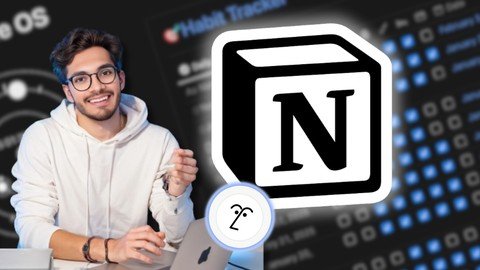
Learn how to use Notion to organize your personal and work life with a beginner-friendly, project-based course that turns chaos into clarity. This guide explains how to set up your Notion account and workspace, master the interface, build a LifeOS dashboard, create and connect databases, style pages, automate with formulas, collaborate with teams, and publish Notion pages as live websites.
Getting started and mastering Notion’s interface
Start with a stable internet connection, any computer or mobile device, and a free Notion account. No prior Notion experience is required—only basic computer skills and an eagerness to learn. The course leads you through setting up your workspace for a smooth start and teaches you to confidently navigate pages, blocks, and menus so you can build structured pages without feeling overwhelmed.
Focus areas in this chapter include:
- Workspace setup: Create a central hub that separates personal and professional spaces so your LifeOS grows logically.
- Interface fluency: Learn how pages, blocks, and menus interact so you can rearrange content quickly and maintain consistency across your workspace.
- Custom pages and layouts: Use Notion’s flexible blocks and layout tools to build custom pages that are both visually appealing and highly functional, turning simple lists into structured systems.
- Styling for clarity: Apply visual styling that enhances usability—so pages inspire action rather than distract.
Build your LifeOS and connect ideas
This course walks you through constructing a personal LifeOS system—a single, central command center for work, life, and side hustles. Project-based learning means you build The Metrix, your personalized dashboard, as you progress. Along the way you’ll learn to connect ideas using Notion’s links and backlinks so references are streamlined and discoverable.
Key outcomes here:
- LifeOS architecture: Organize goals, projects, tasks, and notes so everything flows into your Metrix dashboard and supports decision-making.
- Linking strategy: Implement links and backlinks to create contextual connections across pages—ideal for research, project histories, and recurring references.
- Practical examples: Use relatable templates and examples (like turning a grocery list into a linked database) to make system design approachable and immediately useful.
- Replace multiple apps: By centralizing notes, tasks, and projects in Notion, you can consolidate many tools (Todoist, Trello, Evernote) into one streamlined workspace.
Databases, automation, and reusable templates
Databases are the backbone of a powerful Notion workspace. This course covers creating and managing databases to store and organize data, then using linked database views to display that data across multiple pages where it’s needed. You’ll also learn how relations and rollups connect databases and enable automated summaries and insights without redundant entries.
Advanced database skillset includes:
- Linked database views: Surface relevant records on different pages while maintaining a single source of truth.
- Relations & rollups: Connect disparate databases—such as tasks to projects or clients to invoices—and roll up key metrics for quick decision-making.
- Reusable templates: Save time by creating Notion database templates for recurring project types, content plans, study units, CRMs, and more.
- Formulas for automation: Use Notion formulas to perform smart calculations and automate simple data transformations, helping you save time—aiming to free up 5+ hours per week through automation.
- Course assets: Receive 20+ ready-to-use templates including a LifeOS dashboard, CRM, study planner, and content calendar to jumpstart your system.
Collaboration, integrations, and publishing
Notion isn't just personal—it's a team platform. Learn how to collaborate by sharing pages and managing team permissions so the right people have the right access. Enhance your workspace with interactive widgets and third-party integrations to add functionality that complements Notion’s core features. Finally, convert your Notion pages into live websites using Super for public sharing.
What you’ll accomplish:
- Team collaboration: Share pages, coordinate work, and centralize information so teams and companies have a single source of truth for CRMs, content planning, study guides, and hubs.
- Integrations & widgets: Extend functionality with interactive elements and external tools to make dashboards and pages more dynamic and useful.
- Website publishing: Use Super to convert Notion pages into live websites for public sharing, portfolio pages, or documentation.
- Support & guarantees: Lifetime access keeps you current with Notion updates, Q&A support responds within 24 hours, and a 30-day money-back guarantee ensures satisfaction.
Conclusion
This course transforms Notion from an overwhelming toolbox into a cohesive system that organizes your life and work. By setting up a solid workspace, building a LifeOS dashboard, mastering databases with relations, rollups, and formulas, and enabling team collaboration and web publishing, you’ll replace multiple apps, automate tasks, and finish with practical, real-world systems and 20+ templates. Instructor: Chetan Pujari.